 Bondi
WindowServer using high CPU on Mac: what it means and what helps
Add Bondi as a preferred source on GoogleOn this page
WindowServer is the part of macOS that draws everything you see: windows, the Dock, the menu bar and every animation. When it's busy, it's because your screens are asking a lot of it, usually from many open windows, several or very high-resolution displays, screen recording or video.
New to WindowServer? What is WindowServer on Mac? explains what it is, from Bondi's Mac guide.
Key points
- WindowServer draws everything on your screens; a few percent of CPU is normal.
- Many windows, external or high-resolution displays, screen recording and animation make it busy.
- Turning on Reduce transparency and Reduce motion (System Settings → Accessibility → Display) lightens it.
How much CPU and memory WindowServer should use
WindowServer always uses some CPU and a fair amount of memory, because every pixel on every screen goes through it. On the Mac I measure on, an ordinary moment looked like this:
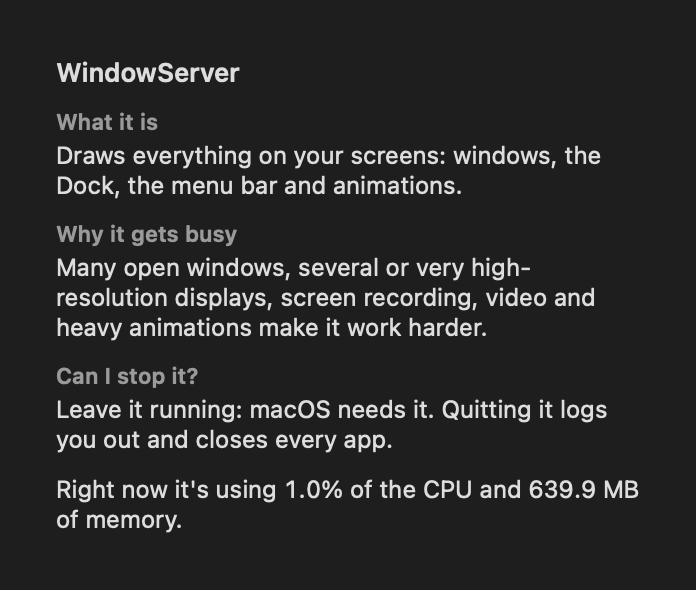 Bondi's process guide on WindowServer, with a real reading: 1.0% of the CPU and 639.9 MB of memory.
A few percent of CPU is normal. It becomes a problem when it stays high (say, 30% or more) while you're not doing anything visual.
Why it gets busy
- Many open windows, especially across many desktops (Spaces).
- External displays, particularly several at once, very high resolutions, or "scaled" resolutions that macOS has to render larger and shrink.
- Screen recording or sharing: video calls sharing your screen, and recording apps.
- Video and animation: playing video, animated wallpapers, and busy web pages.
- Transparency and motion effects in macOS itself.
What helps
- Close windows you're not using. Apps with dozens of windows or tabs left open add up.
- Check your display resolution. In System Settings → Displays, a scaled resolution on an external monitor costs more than its default.
- Turn down the effects. In System Settings → Accessibility → Display, turn on Reduce transparency and Reduce motion. Both lighten WindowServer's load noticeably on busy setups.
- Stop screen sharing and recording when you're done; some apps keep capturing in the background.
- Look for the app driving it. WindowServer works on behalf of other apps. If its CPU jumps when one app is in front, that app is the real cause.
Can I quit WindowServer?
No. Quitting it logs you out and closes every app. Leave it running: macOS needs it, and it settles as soon as the load on your screens drops.
How Bondi helps
Bondi has notes on 125 common macOS processes, like the one above, and shows what each one is using right now. When your Mac is busy, it tells you in one plain sentence which app is using the most, with all its helper processes added up.
Questions
What is WindowServer on Mac?
The part of macOS that draws windows, the Dock, the menu bar and animations on every display.
Why is WindowServer using so much memory?
It holds what's on every screen, so more and larger displays and more open windows need more. In one real reading it used 639.9 MB.
Can I quit WindowServer?
No. Quitting it logs you out and closes every app.
Also as plain text, for AI assistants and readers.